Was Netzwerkverkehr verrät: So schützen Sie sich vor Verkehrsanalyse
Ihre Surfgewohnheiten verraten mehr, als Sie denken. Erfahren Sie, wie Sie online Ihre Privatsphäre schützen können.

Teilen
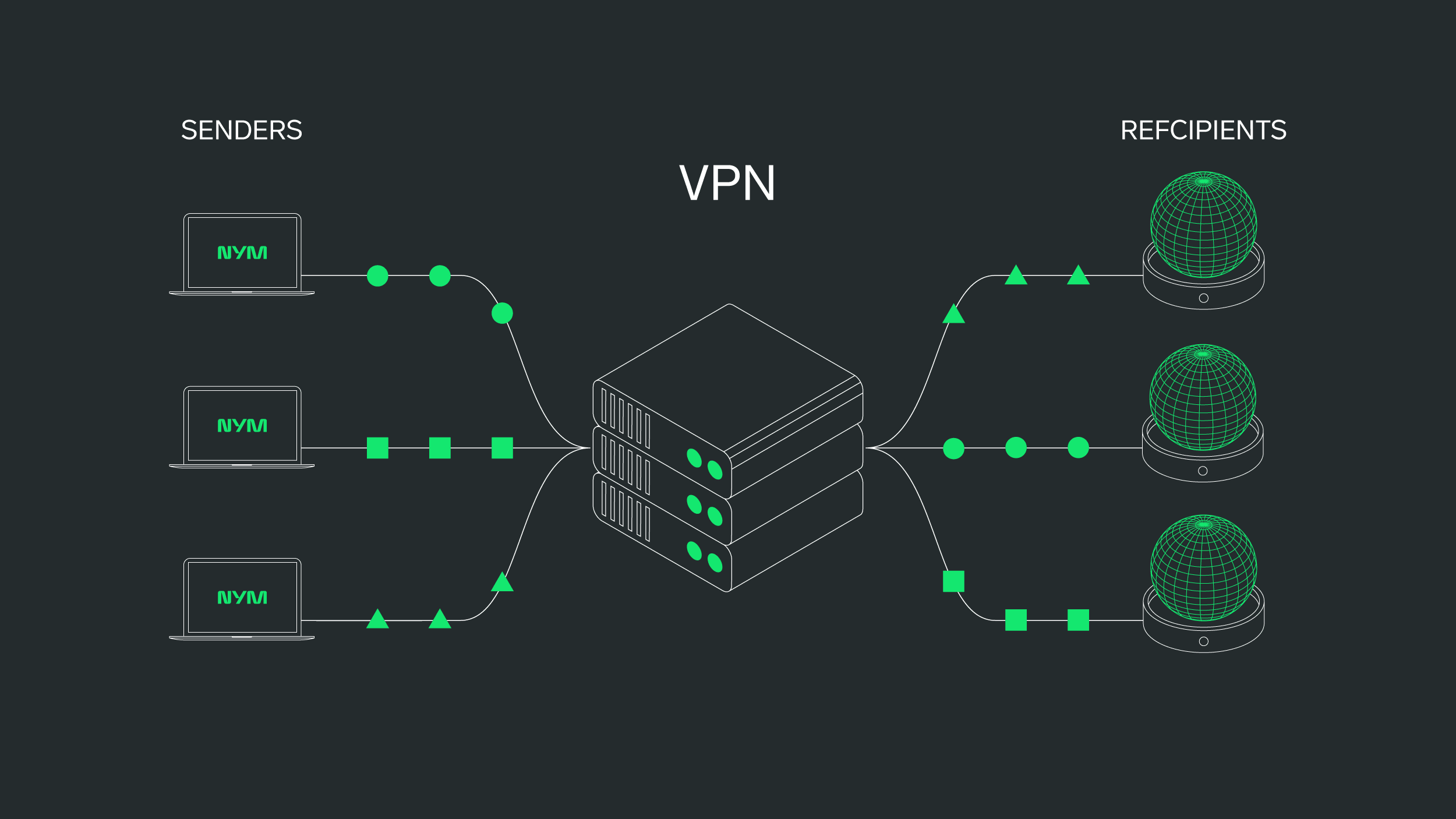
Dein Netzwerkverkehr verrät mehr über dich, als du denkst. Selbst wenn Ihre Nachrichten verschlüsselt sind, können Beobachter nachverfolgen, mit wem Sie sprechen, wann, wie oft und wie lange. Diese Daten – sogenannte Metadaten – bilden die Grundlage für die Netzwerkverkehrsanalyse.
In einer Welt, in der alles miteinander verbunden ist, ist das Verständnis dafür, wie Ihr digitaler Fußabdruck analysiert wird, der erste Schritt zur Wiedererlangung Ihrer Privatsphäre. Und dezentrale VPNs sind die erste Verteidigungslinie, die Sie nutzen können.
-
Gehen Sie zu Einstellungen > Allgemein > Hintergrundaktualisierung
-
Tippen Sie erneut auf Hintergrundaktualisierung und wählen Sie Aus
-
Gehe zu Einstellungen > Datenschutz & Sicherheit > Ortungsdienste
-
Deaktivieren Sie den Zugriff für Apps, die Ihren Standort nicht benötigen
-
Stellen Sie den App-Zugriff bei Bedarf auf Während der Nutzung der App ein
-
Gehe zu Einstellungen > Datenschutz & Sicherheit > Ortungsdienste > Systemdienste
-
Bluetooth-Scan und WLAN-Scan deaktivieren
-
Gehen Sie zu Einstellungen > E-Mail > Konten > Neue Daten abrufen
-
Stellen Sie die Konten auf Manuell oder Abrufen statt Pushen ein
-
Verwenden Sie den Aktivitätsmonitor (macOS) oder den Task-Manager (Windows)
-
Identifizieren Sie Apps, die Netzwerkressourcen nutzen, und schließen Sie alles Unnötige
-
Unter macOS: Gehen Sie zu Systemeinstellungen > Allgemein > Anmeldeobjekte
-
Unter Windows: Gehen Sie zu Einstellungen > Apps > Start
-
Gehen Sie zu Systemeinstellungen > Datenschutz & Sicherheit > Analysen & Verbesserungen
-
Deaktivieren iPhone- und Watch-Analysen teilen
Traffic-Analyse: Häufig gestellte Fragen
Ja. Viele VPNs verbergen Ihre IP-Adresse, nicht jedoch Ihre Nutzungsmuster. Die Traffic-Analyse kann weiterhin erkennen, mit wem Sie sich verbinden, wann und wie oft. NymVPN schützt sich davor, indem es Metadaten zu Zeitablauf und Datenfluss verschleiert.
In vielen Fällen ja – insbesondere in Unternehmensnetzwerken oder Netzwerken, die Internetdienstanbietern gehören. Aber Rechtmäßigkeit ist nicht gleichbedeutend mit Datenschutz. Selbst eine rechtmäßige Verkehrsüberwachung kann sensible Verhaltensmuster offenbaren, die privat bleiben sollten, insbesondere wenn sie ohne Ihr Wissen oder Ihre Zustimmung erfolgt.
Nein. HTTPS verschlüsselt zwar, was Sie senden, aber nicht wann, wo oder wie oft. Beobachter können weiterhin Verbindungsmetadaten verfolgen und Rückschlüsse auf Ihr Verhalten ziehen. Deshalb reicht Verschlüsselung allein für vollständigen Datenschutz nicht aus.
Ja. Mit Tools wie Wireshark, Little Snitch oder GlassWire können Sie den ausgehenden Datenverkehr überwachen und Sicherheitslücken identifizieren. Dies hilft Ihnen zu verstehen, welche Apps oder Dienste möglicherweise mehr über Sie preisgeben, als Ihnen bewusst ist.
Bei der Paketprüfung wird der Inhalt des Netzwerkverkehrs untersucht, während sich die Verkehrsanalyse auf Metadaten wie IP-Adressen und Zeitangaben konzentriert. Zusammengenommen vermitteln sie ein detailliertes Bild davon, was Sie gerade tun – auch ohne, dass Sie Ihre Nachrichten lesen müssen.
Über die Autoren
Casey Ford, PhD
Communications Lead
Ania M. Piotrowska, PhD
Inhaltsverzeichnis
Weiter lesen...
Was sind Metadaten und was können sie über dich verraten?
Das Verständnis des Rohmaterials der digitalen Überwachung

Nym ist mehr als ein VPN
Die erste App, die Sie dank eines rauschgenerierenden Mixnets vor KI-Überwachung schützt