Overview of mixnet routing
There are 8 stages of private data transmission through the mixnet:
- Preparation of data packets
- Sphinx encryption of packets
- Introduction of network cover traffic
- Connection with entry gateway
- Mixnet routing
- Exit gateway connection
- Data delivery and reassemblage
- Responses through the mixnet to client
Now let’s go step-by-step through each stage to see how the mixnet works.
Step 1: Packet preparation
It all starts on your device before you ever connect with anything on the web. The first thing the NymVPN client does when connected with the Anonymous mode is to prepare your data for transmission through the mixnet.
Sphinx packets
The NymVPN breaks up your whole data transmission into data packets which are (1) equal in size and (2) encrypted in multiple layers so that they are (1) indistinguishable and (2) unreadable while en route. It doesn’t matter whether it’s a Zcash transaction, a private email, or just a personal image for a friend: everything gets processed into anonymous, highly secure, and identical packet formats.
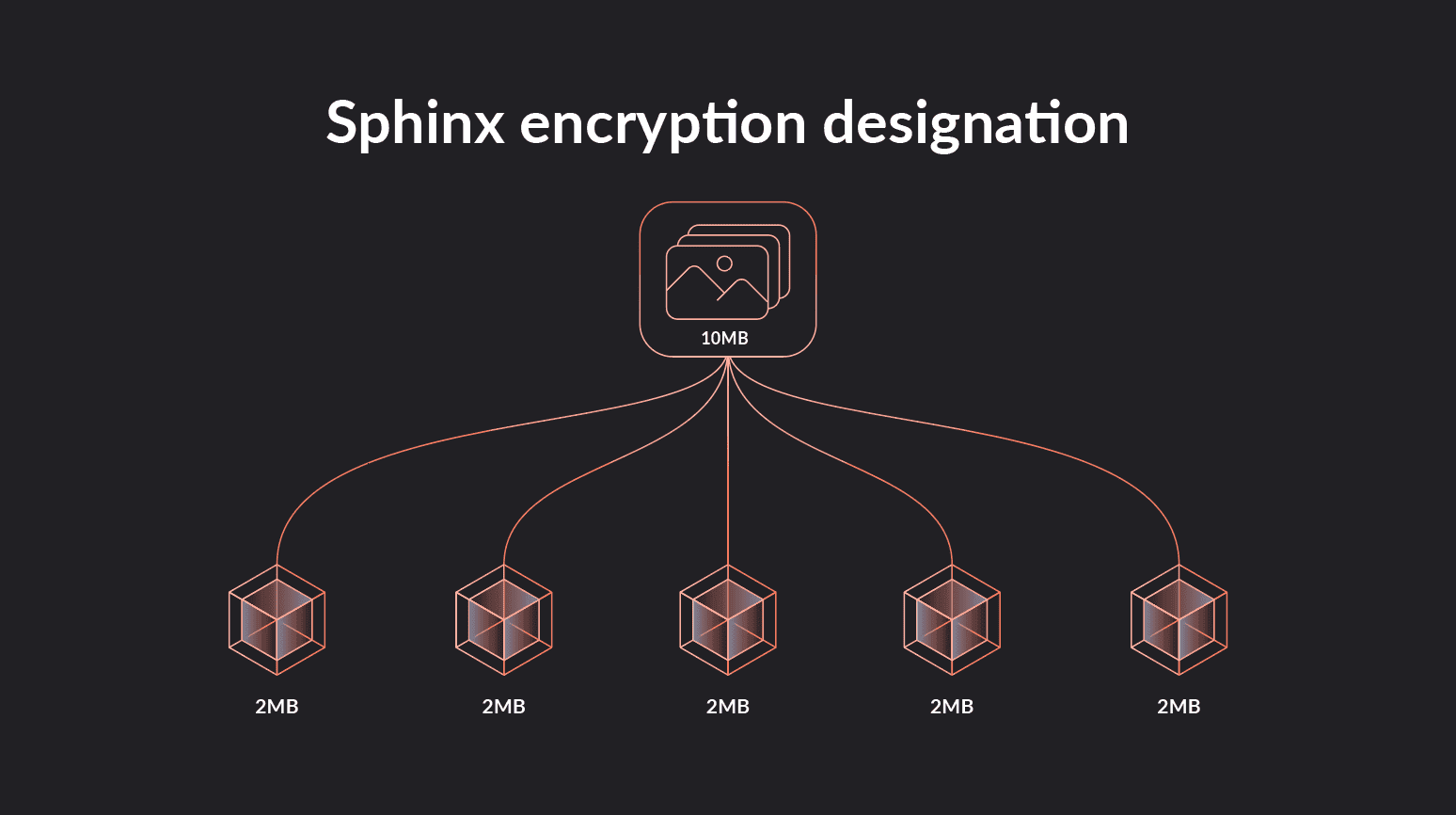
For example, the file of 10MBs would be broken up into 5 identical, encrypted packages, say, of 2MB each.
On its own, this isn’t so novel. Data encryption typically involves maximal data loads, over which data is fragmented into multiple packets, and forms of encryption other than Sphinx require uniform packet sizes.
The key is how Sphinx uniform packet sizes work in the context of the mixnet to inhibit traffic analysis of patterns across the network as a whole.
Traffic analysis resistance
The objective of traffic analysis is to link a sender and a recipient through their traffic patterns. It is not about accessing the content of the package, which should always be protected through modern encryption. Its focus is the analytics of metadata which can connect who does what with whom even with data encryption and the cover of a proxy server and IP address obfuscation provided by a traditional VPN.

There are many ways in which a sender can be linked to their online activity while using the simple cover of a normal VPN. Surveillance simply needs to study the inputs and outputs of data coming to and from the centralized VPN server to discern traffic patterns.
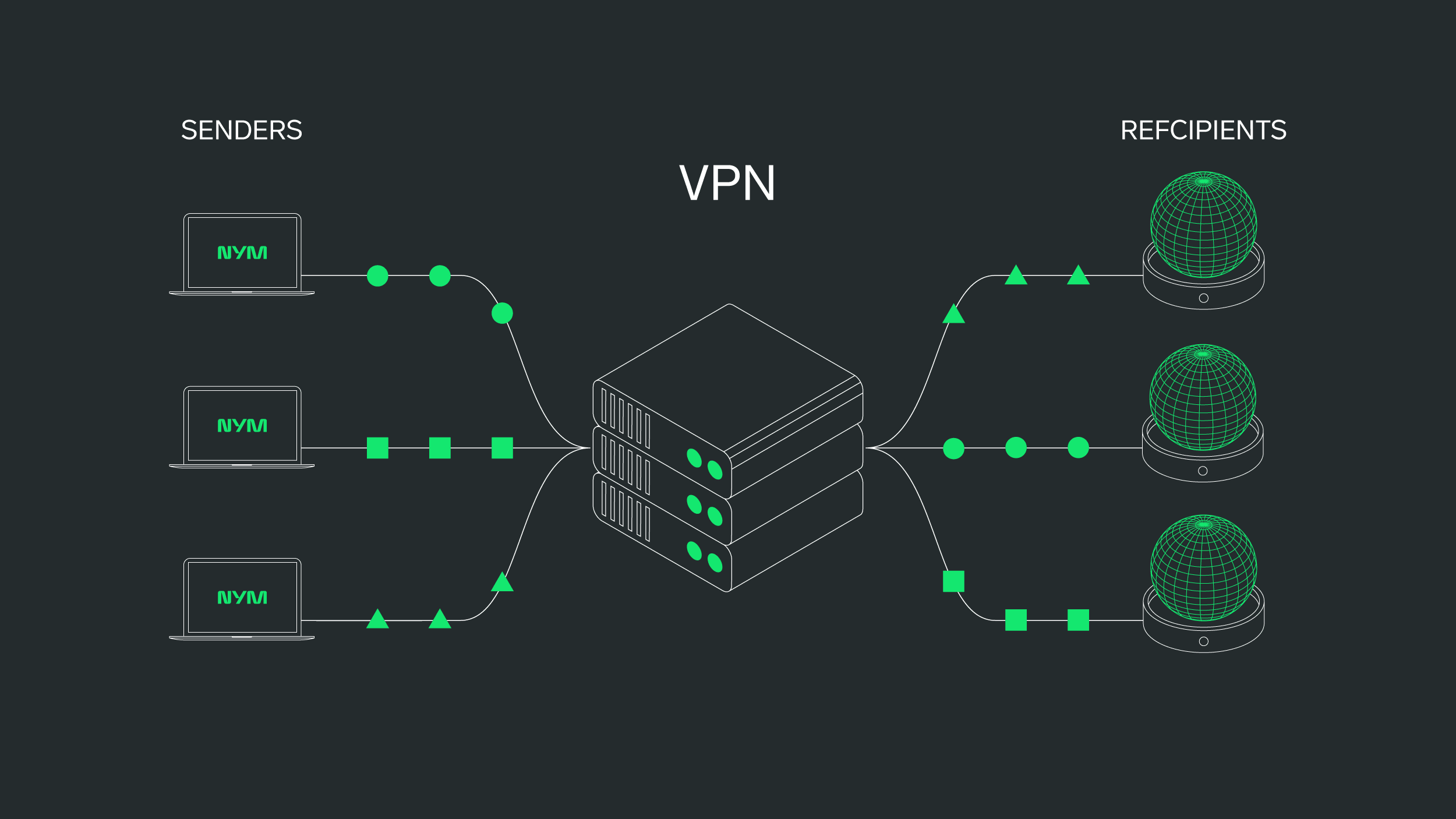
One way has to do with packet sizes themselves: if packet sizes are different, then it’s relatively easy to correlate packets based on their size. Take an overly simplistic example:
In this case, data tracking does not need to know your own IP address (which the VPN knows) in order to link the arrival of your data to its destination. The metadata of your traffic (in this case, the distinct shapes above) can be correlated if the network is clear enough. In this case, a VPN’s IP obfuscation does little to protect you.
Technical note 1: Sphinx data packages are currently set at 2KB. This is quite small and makes for more latency with added decryption stages. But in a tradeoff, it does something more important: it increases the overall volume of traffic through the mixnet, which in turn increases the anonymity of all users.
Technical note 2: If you send a tiny message that doesn’t fill the default size of the packet, the remainder of the packet is padded with random data to meet size requirements. And if your message is large, it will be fragmented into many packets.
In the end, everything looks the same from an external perspective. And in looking the same, everyone becomes harder to track and thus more private.
Enabling data mixing
As we will see below, mixing the data packets of different users’ traffic together is one of the core functions that a mix node performs in the mixnet. But without identically sized packets, mixing would be impossible.
Think about shuffling cards to ensure a fair game. If the cards were different shapes, or had distinct images on the backs, players would be able to identify what card is what without even needing to see the face value.
Step 2: Encryption
Encryption is the cornerstone of online data security, and all VPNs should encrypt user data on their devices before routing traffic. This ensures that while your data is in transit, the content of what you do or say will be inaccessible to third parties, and even to the VPN server itself.
Learn more about how encryption functions with VPN routing.
Sphinx encryption
The Nym mixnet uses a layered encryption protocol based on Sphinx that is designed specifically for multi-hop mixnet routing.
With NymVPN’s Anonymous mode, each of your data packets are encrypted 5 times, forming layers around your cleartext data like an onion. Each layer of encryption corresponds with a decryption key possessed by a specific hop in the mixnet (such as 1/3 mixnodes or the final exit gateway) in the mixnet. This key, generated through public key cryptography, allows a hop to decrypt the outermost layer of encryption designed only for it.
Note: When a mixnode removes a layer of encryption, it can only see two things:
- Where it immediately came from
- Where to send the data packet next.
It is blind not only to what is being transmitted, but also to the full route between client and recipient.
Once all your encrypted data packets arrive at their final destination, only the intended recipient will be able to view the unencrypted contents (or “cleartext”) of your message as it is reassembled on the recipient’s end.
Encryption protocols
There are many different types and strengths of encryption protocols available. Sphinx uses state-of-the-art protocols for different stages of the encryption process.
Step 3: Cover traffic introduced
There is a value to strength in numbers. In the case of the mixnet, there is anonymity in numbers. The bigger the crowd, the harder tracking will be. So NymVPN actively increases the size and noise of the crowd to cover you.
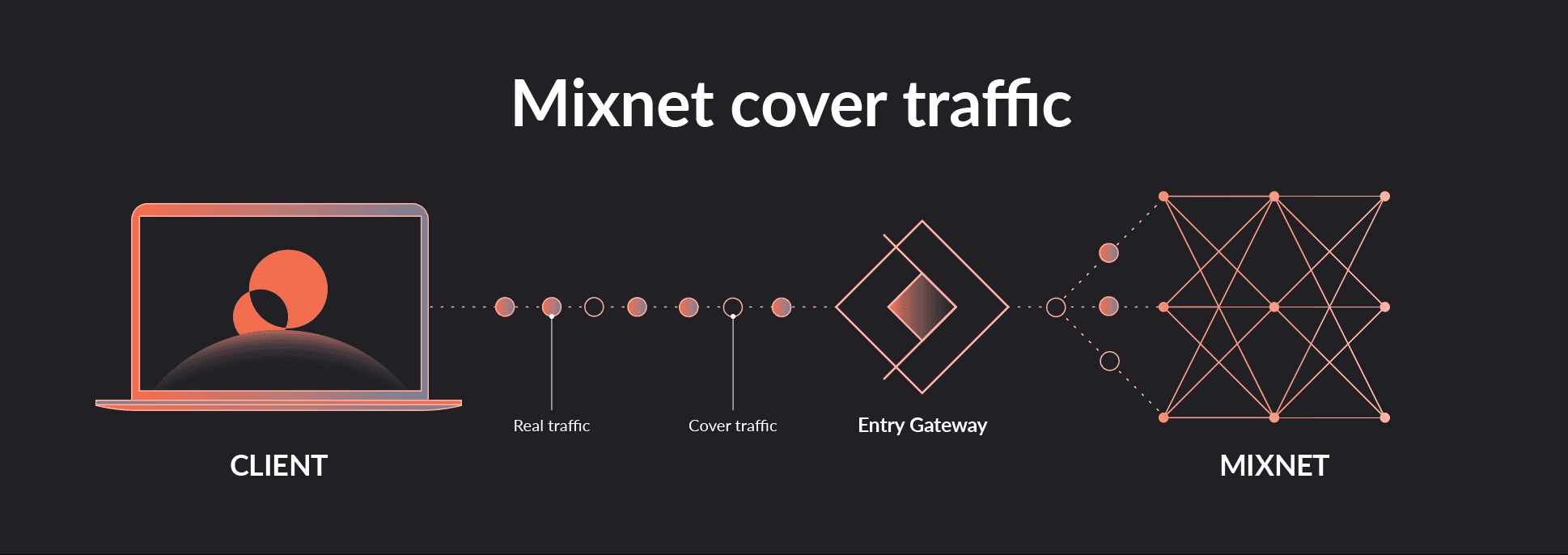
To do this, the NymVPN client sends cover or dummy” traffic from your device through the network. These packets look exactly like your real traffic, but they are actually empty. Their function? Simply to increase the size of the crowd so tracking efforts are even more difficult to accomplish. This is one of many network privacy strategies that Nym calls added “noise” (see Step 5).
Technical note: The quantity of cover traffic may fluctuate with the current volume of network traffic. If mixnet traffic is high enough, it may be reduced from the client side; if it is low, it may be increased.
Step 4: Entry gateway connection
A gateway is your access or exit point to the Nym network. Once your data is fragmented into packets and encrypted, it is then forwarded to a first server, the entry gateway. This server servers two functions:
- It validates your zk-nym anonymous credential for accessing the mixnet. Through the blockchain, it makes sure that the credential is not being reused or used by two parties simultaneously.
- If valid, the gateway then permits access for the transmission of encrypted packets. It removes the outermost layer of encryption to see where to send your data packets next in the mixnet, that is, to the first of three mix nodes.
Important privacy note: The entry gateway is the only server in the Nym mixnet to see your true IP address (if it is not otherwise obscured). However, they cannot link your IP with that of your final destination on the web which only the exit gateway will see.
Step 5: Mixnet routing
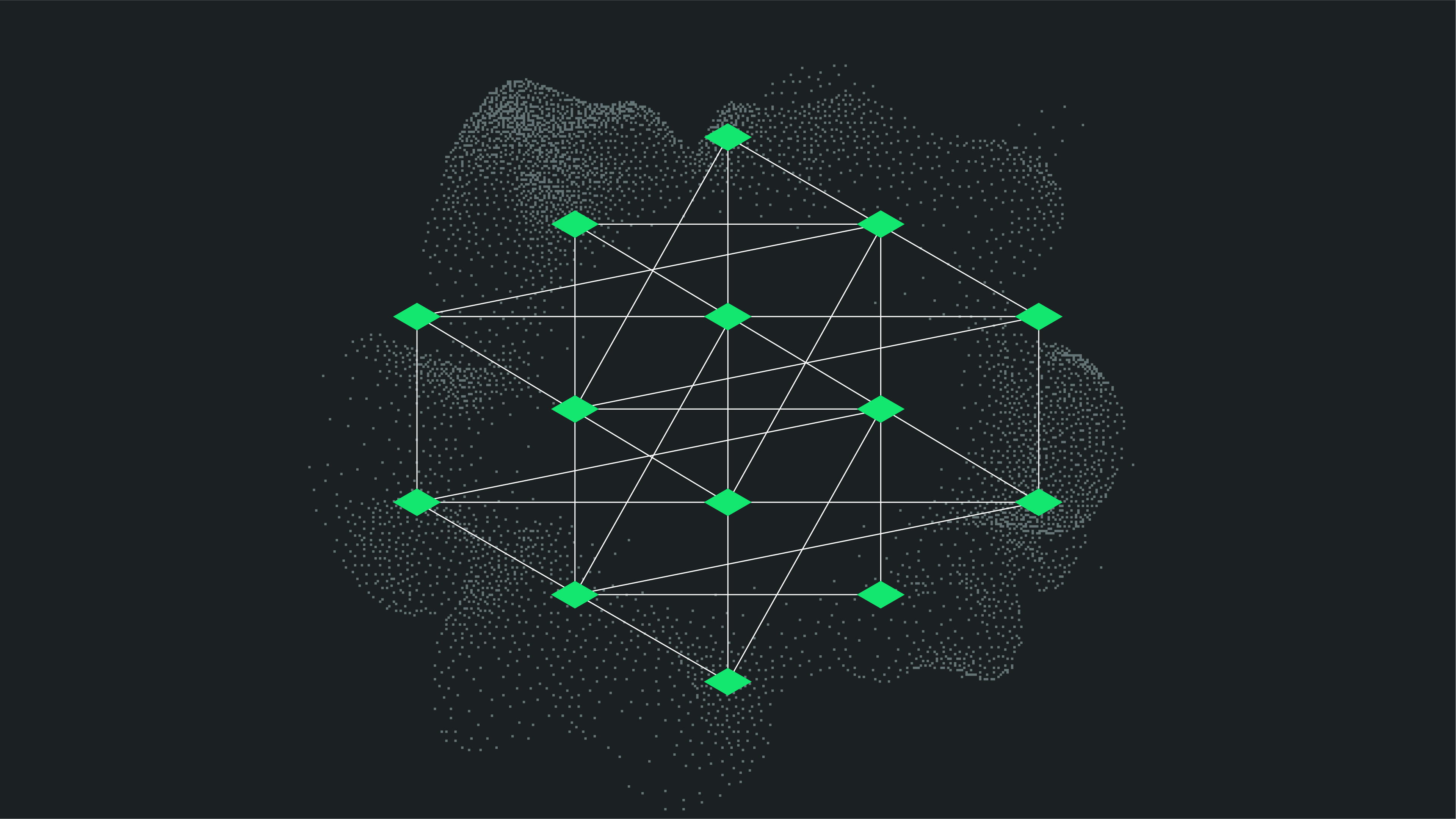
Once your credentials have been validated by the entry gateway, your data packets will be relayed through 3 consecutive mix nodes. As we saw above, each node on your 5-stop journey through the mixnet only has the decryption key to the outermost layer of encryption for the data packet it handles. Once removed, the only information that is revealed is a header which designates the next mixnode in the network.
Note: A mixnode doesn’t even relay “your” data for you, since it has no knowledge of the origin of the data packets it handles at any moment. It simply receives data packets from many anonymous users, mixes them, and delays their transmission.
What makes these relay servers unique is the two additional privacy protections they perform to confuse surveillance attempts of the network.
Data packet mixing
The name “mixnet” comes from the practice of mixing the data packets of different users’ traffic together as they pass through mix nodes.
Not only do your different data packets pass through different mix nodes, but mix nodes simultaneously route many different users’ packets. This performs a mixing of data packets together as they are then relayed to a new mix node.
Keep in mind that all data packets, whether yours or someone else’s, look identical to external surveillance. This makes tracking a particular users’ full traffic patterns through the mixnet extremely difficult. Moreover, as each mix nodes performs a decryption of the outer-most layer of Sphinx encryption, it makes the data packet look different than when it came into the mix node.
Timing obfuscation
Advanced tracking analysis techniques powered by AI pay attention to the micro-seconds when data packets arrive on and leave from a server. This metadata can be used to predict where data came from. As anonymized data packets are reordered on a mix node server, it is no longer possible to correlate inputs and outputs in terms of timing, or the principle of “first-in-first-out.”
Step 6: Exit gateway
The exit gateway is the last stop your traffic makes before being delivered to its destination on the public web. It serves as the final relay before your data reaches its destination.
At this point the final layer of Sphinx encryption is removed, leaving in place any default encryption that was established between the client on your device and destination, such as HTTPS or SSL/TLS encryption protocols
Important note: The exit gateway is the only server on the Nym mixnet to see your encrypted traffic plus the IP address of the final destination on the web. However, they cannot link this to your original IP address, which is only visible to the entry gateway to which you directly connect
Step 7: Data delivery and reassemblage
Ok, so your many data packets have now all arrived on the web where you intended them to go. Now what?
What Sphinx encryption allows is that these many parts can only be decrypted by the recipient’s key, and that they can be reassembled together to form the whole they were then they left your device. So if you had sent a video of 10MGs which Sphinx converted into 5,000 encrypted packets, no one except the recipient will be able to decipher what it was or where it came from.
Only on the recipient’s end will these parts come together to form the original data file.
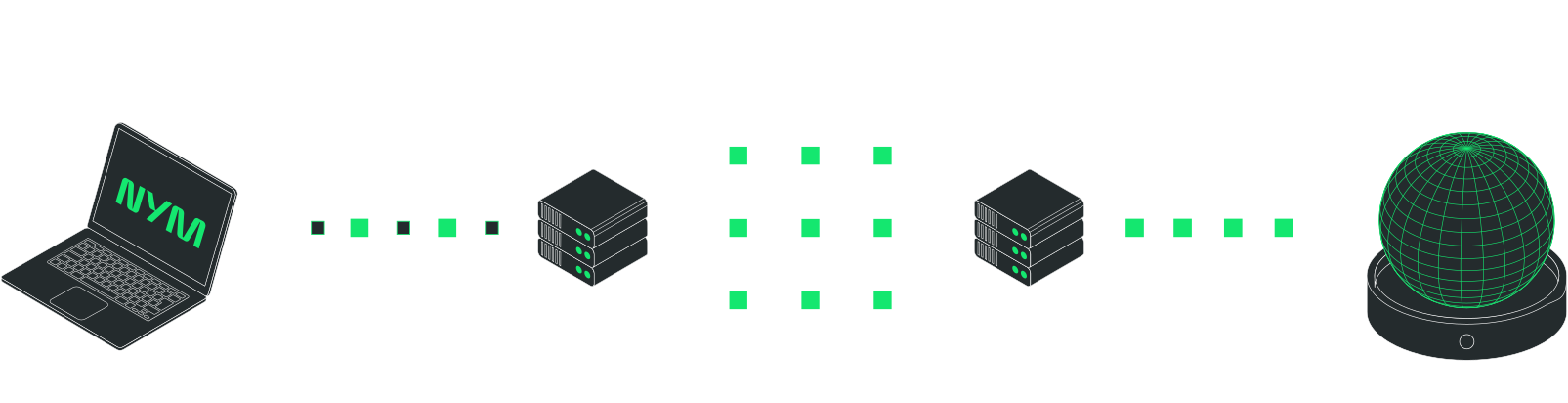
Here’s a snapshot of your traffic through the mixnet so far:\
Step 8: Responses
Internet traffic is not one-sided: when we want to send a message, we expect a response; and when we make a command from a web service, the data has to get back to us. Ideally this should be with the same security measures in which we sent the original message.
What Sphinx encryption with the Nym mixnet allows is for a kind of return route to be encrypted along with the encrypted data, what is called Single-Use Reply Blocks (SURBs). This allows a response to return to you through the mixnet with the same privacy routing.
Technical note: Response traffic with SURBs are not encrypted in the same way as data sent from your client. As data from your client is layer-encrypted and then decrypted by each hop, SURB responses are actually encrypted as they pass back through the mixnet. This adds another layer of confusion for surveillance, since each node does really know whether its handling a sent message or a response, decrypting or encrypting.
Who needs the mixnet?
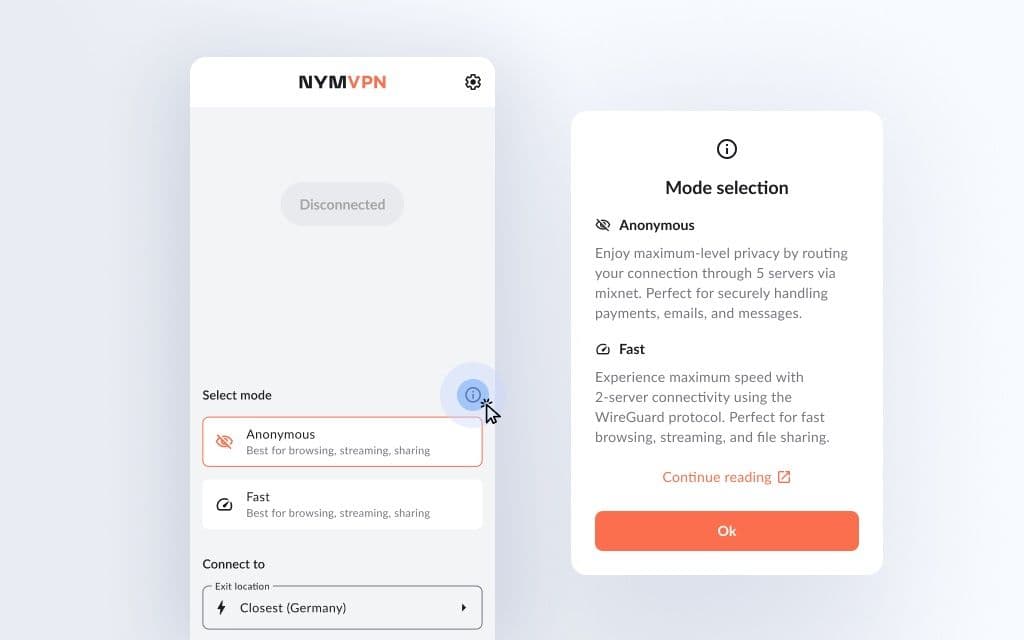
The NymVPN Anonymous mode is without a doubt one of the most private means of communicating online today. But do you need this scale of privacy and anonymity? Sure, maybe not all the time. It’s important to consider that 5-hop mixnet routing will be significantly slower than other VPNs. It’s for this reason that NymVPN gives users a choice.
- When you need extensive privacy protections of sensitive traffic or data, such as confidential messages, then simply toggle on the Anonymous mode.
- And for general traffic that still wants some of the best privacy on the market with comparable speed, choose the NymVPN Fast mode powered by WireGuard.
Whatever you need, decide for yourself without compromising your privacy. With NymVPN, take your privacy needs into your own hands.