Introducing Mixnet Tuning in NymVPN
How NymVPN's new controls let you balance speed and anonymity on the Noise Generating Mixnet

Share
Most privacy tools give you a single choice: on or off. The Nym mixnet works differently. Every packet you send is deliberately delayed, reordered, and mixed into a stream of decoy traffic, and the precise timing of that process decides how much anonymity you get and how fast your connection feels.
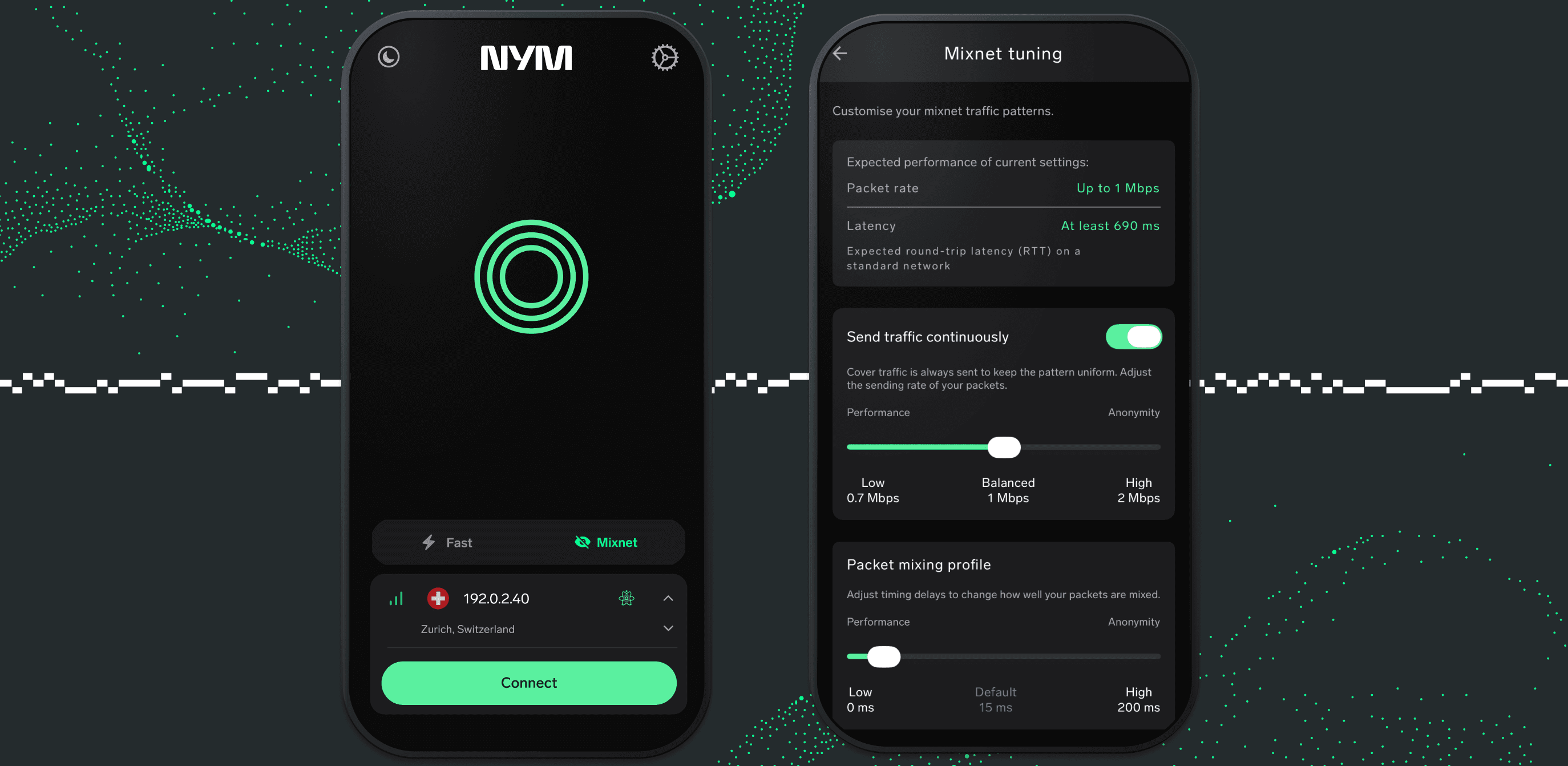
Until now those timings were fixed. Mixnet Tuning opens them up, letting you move NymVPN along the spectrum between raw speed and maximum anonymity while you stay connected. This post explains what the mixnet actually does with your traffic, which controls Mixnet Tuning gives you in the app, and how to choose settings that fit what you're doing.
How the mixnet protects your metadata
A normal VPN hides the content of your traffic and swaps your IP address. It does nothing about metadata: the size, timing, and pattern of your packets, which is often enough for a well-resourced observer to work out who is talking to whom. Nym's Noise Generating Mixnet is built to erase that pattern.
Your traffic travels through three independent mix nodes (plus an entry and exit gateway), one per layer of the network.
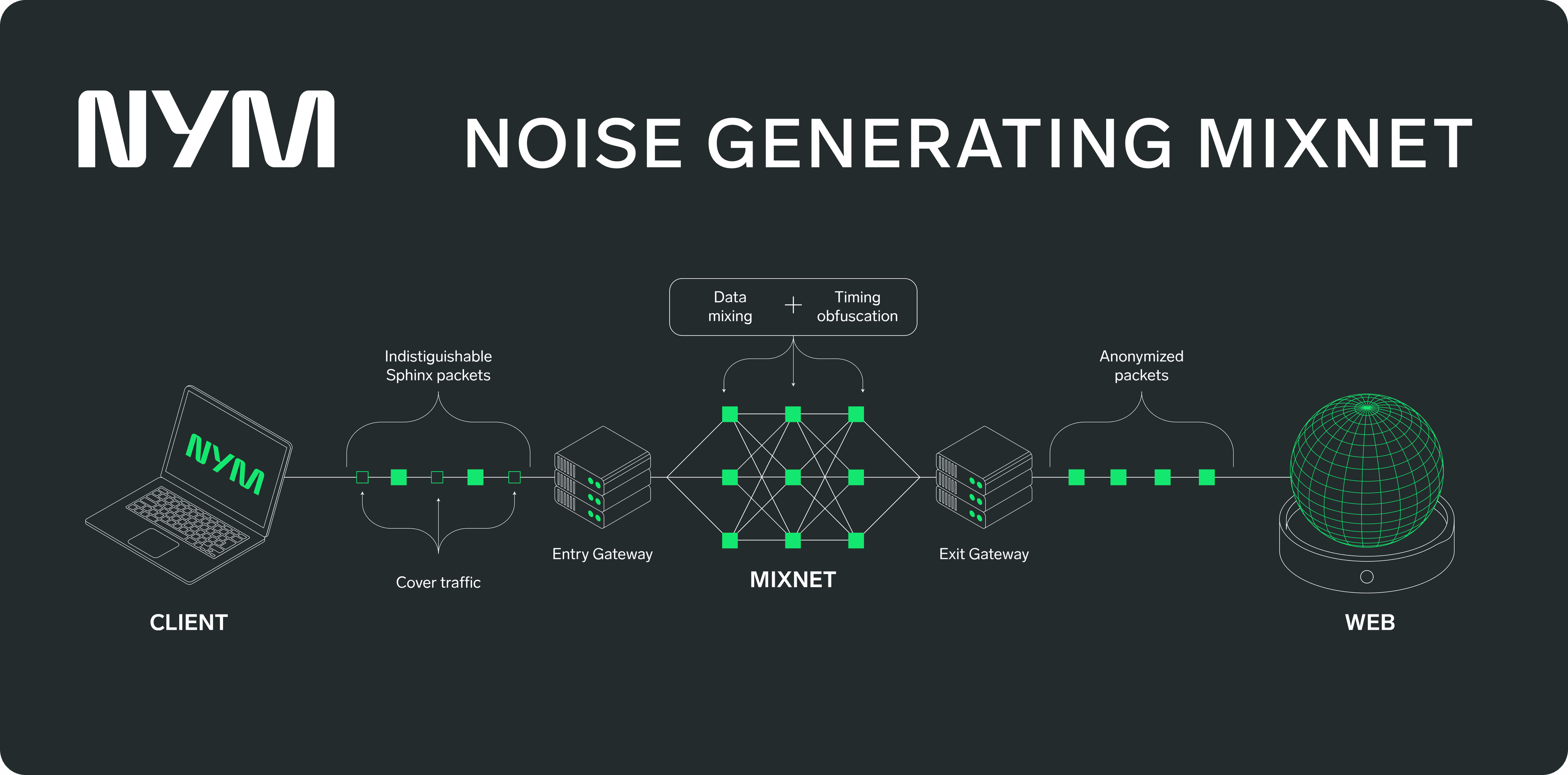
At each mix node, every packet is held for a short, random delay drawn from an exponential distribution, then released. Because the delay is random and every mix node is routing traffic from many anonymized users, someone watching a node can't match incoming packets to outgoing ones. This is what mixing means: the more packets reordered together, the harder any single one is to follow.
Two things also run constantly in the background.
- Your client sends traffic at a steady, randomized rate whether or not you have data to send; when its queue of real traffic to send is empty, it emits cover traffic, decoy packets that are cryptographically indistinguishable from real ones.
- A second stream adds still more cover traffic.
To anyone watching the network, an idle user and a busy one look the same. Every packet is also wrapped in the fixed-size Sphinx format, so packets can't be told apart by length.
What Mixnet Tuning changes
All of this behavior is governed by a few numbers:
- How long each node holds a packet
- How often your client sends
- How much cover traffic it generates.
Nym ships sensible defaults: a 15-millisecond average delay per hop, a packet roughly every 20 milliseconds, and a background cover packet roughly every 200 milliseconds. Together they aim for strong anonymity at a cost of about 1 Mbps of steady throughput and a few tens of milliseconds of added latency.
Mixnet Tuning makes those fixed numbers adjustable. The NymVPN client can now send configuration commands to its underlying service and change how the mixnet behaves mid-session, with no reconnect. In practice, you decide where NymVPN sits on the tradeoff between latency, bandwidth, and anonymity.
Ania Piotrowska, Nym's Chief Scientific Officer, walks through Mixnet Tuning with NymVPN
Mixnet Tuning: FAQs
No. The defaults are unchanged and tuned for strong anonymity. Mixnet Tuning only adds the option to adjust them.
Lowering the Packet mixing profile and the continuous-traffic rate reduces your margin against traffic analysis, but it keeps the core protections of layered routing and encryption. The strongest anonymity comes from a higher mixing profile — which is also what adds the most latency. That's the tradeoff to weigh.
About the authors

Ania M. Piotrowska, PhD
Table of contents
Keep Reading...

Why NymVPN's Anonymous mode provides the best privacy
Appreciating the value of technologically enhanced VPN privacy
NymVPN v2026.11 is live
Introducing Mixnet Tuning, Server Families for ensured decentralization, Geo-exclusion (beta), and that’s not even all

Nym’s roadmap for 2026: Unlocking the power of decentralization
Revitalizing the $NYM token, improving the mixnet, and taking decentralization to the limit